
Getting started on Stardex
First you need to create an API key within your Stardex CRM, you can do this by going to Settings > Organisation > Integrations
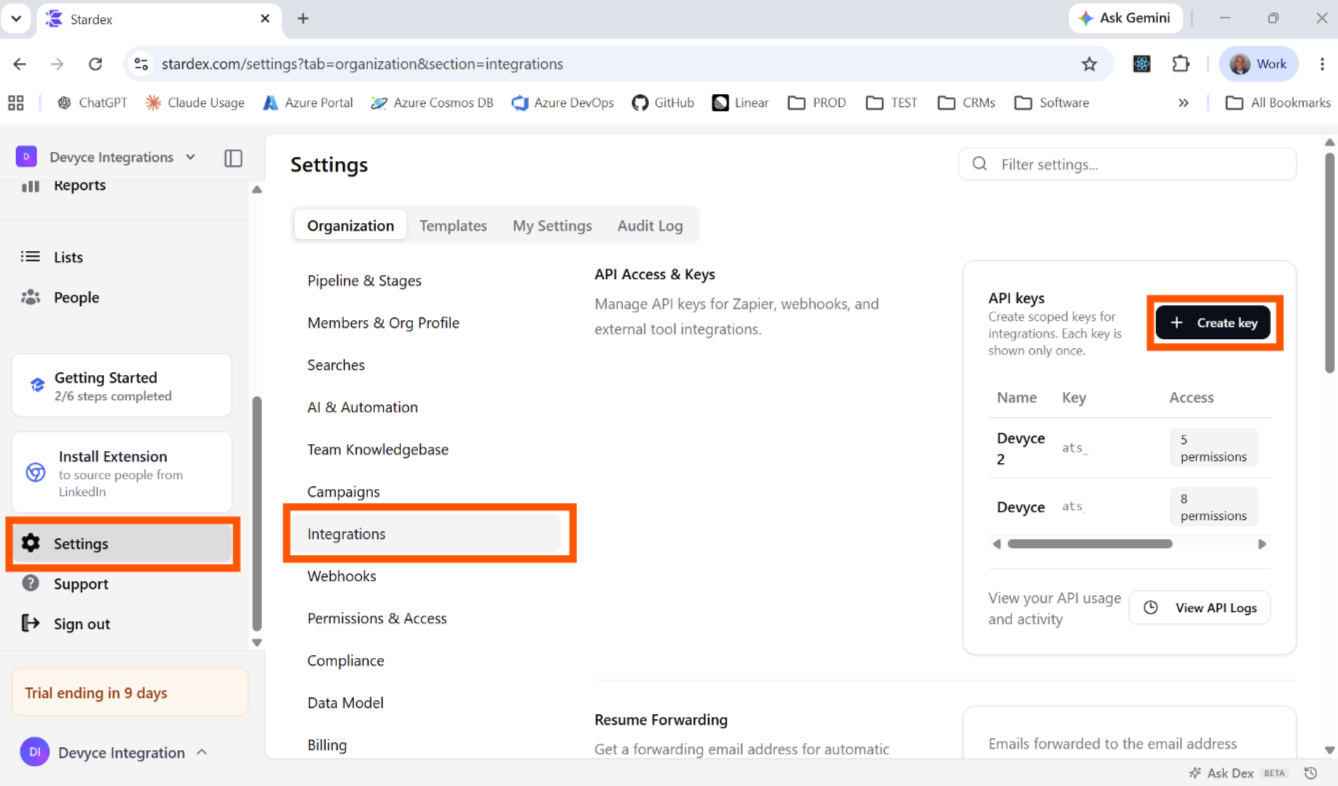
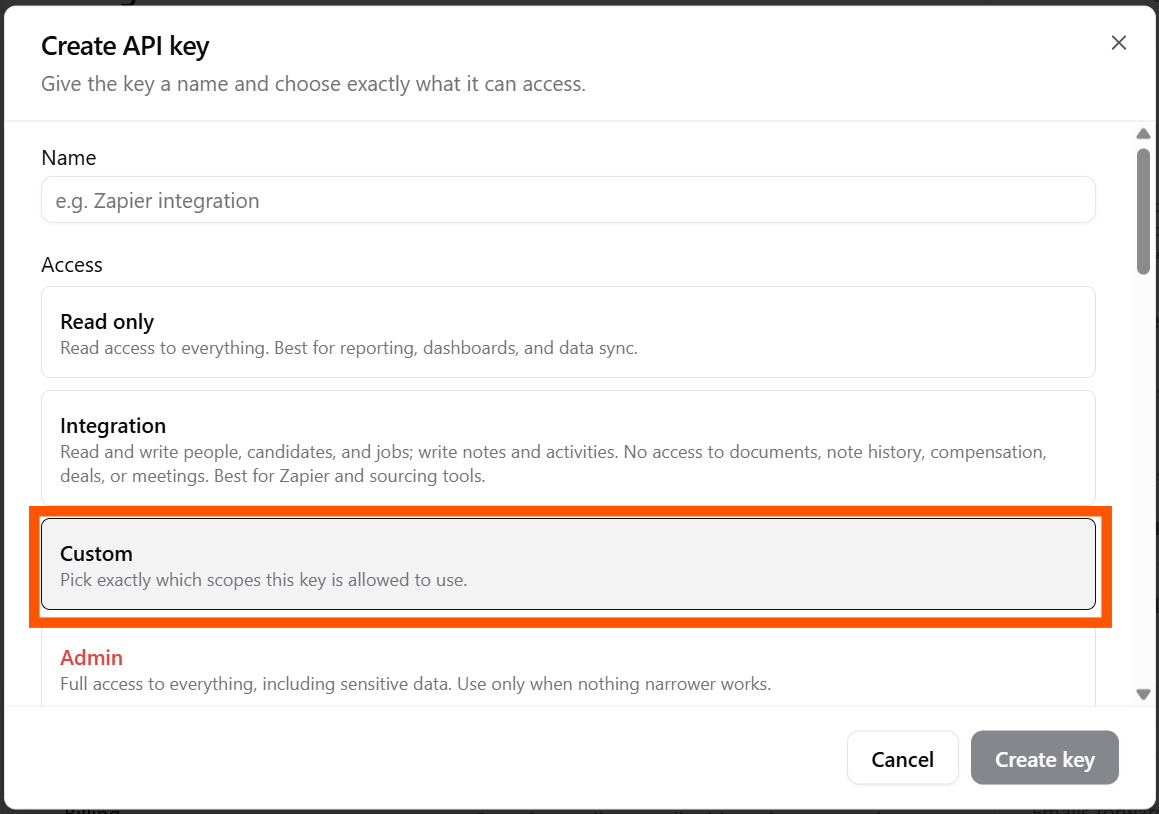
It is important 'Custom' permissions is selected - these settings should be selected when creating the API key otherwise integration won't work properly
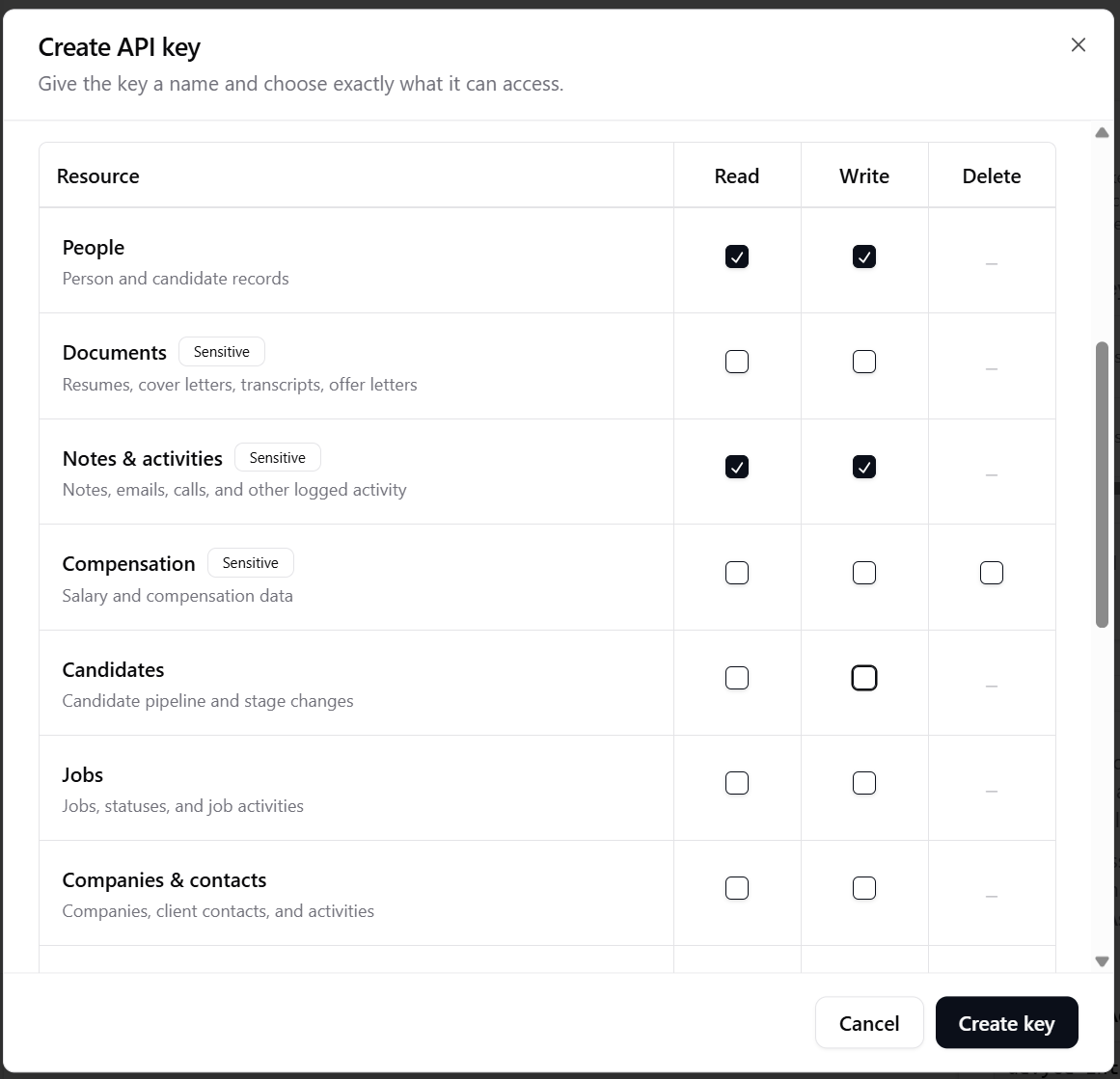
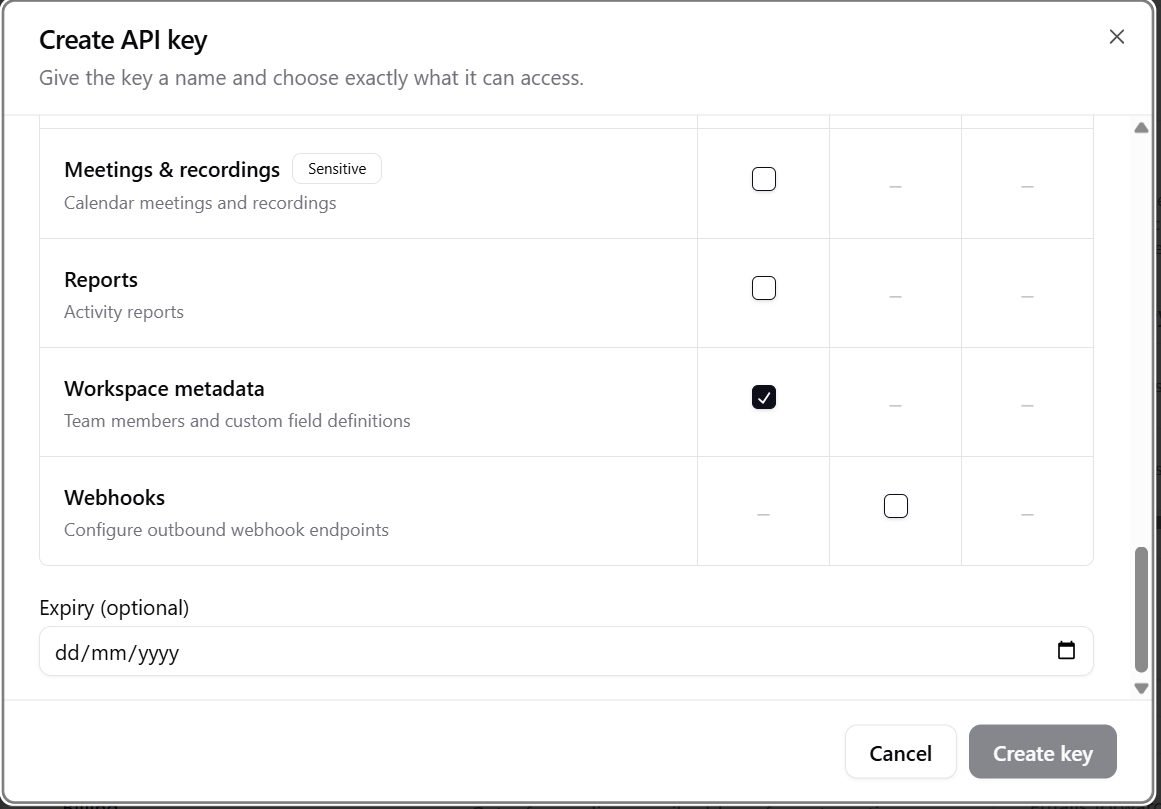
Custom Settings you need:
People: Read & Write
Notes & Activities: Read & Write
Workspace Metadata: Read
No Expiry
Once you create the key, you can navigate to the Portal integration page: https://portal.devyce.io/dashboard/integrations
And input this into the API key section on the integrations page
And then click connect
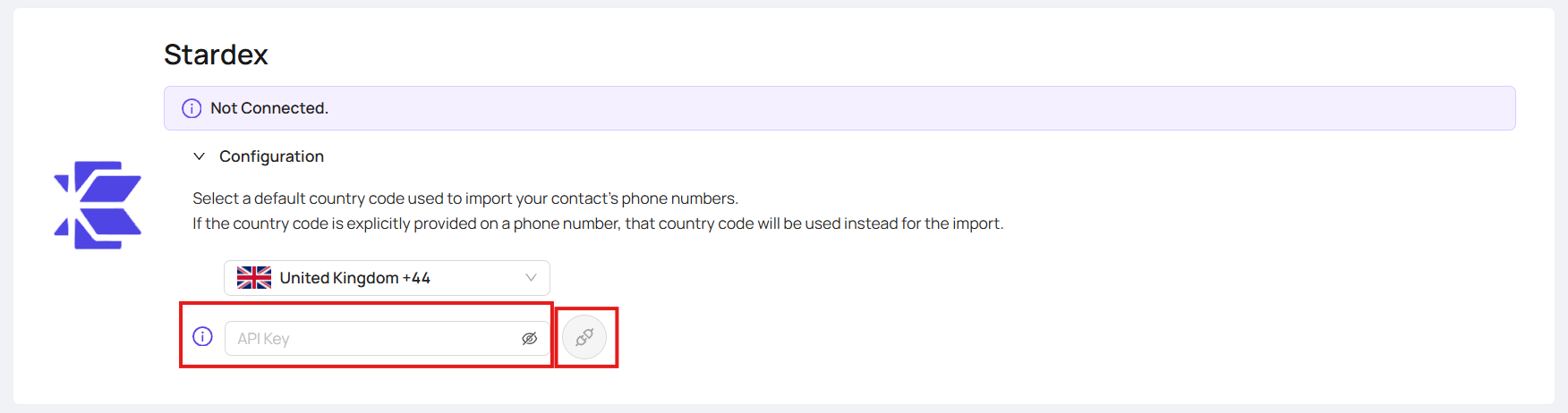
This will then begin syncing, please note syncing may take some time and then once completed it will show as connected like below:

Once this is setup you will be able to do the below:
Sync Candidates and contacts
Sync Calls, messages, Teams meetings
Use Call tags
Updatable candidate fields with the right subscription on Devyce: Current job title, Current company, Location, Desired base salary, Desired bonus, Current base salary, Current bonus