
Setting up a default area code
Navigate to your portal https://portal.devyce.io/dashboard
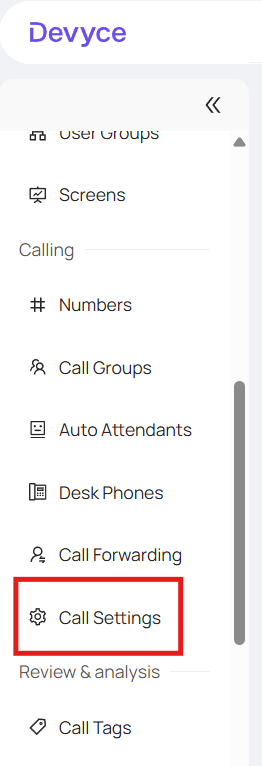
Click on the 'Call Settings' tab in the lefthand side toolbar
Here you will see the default country codes, and be able to use the dropdown to choose the relevant one
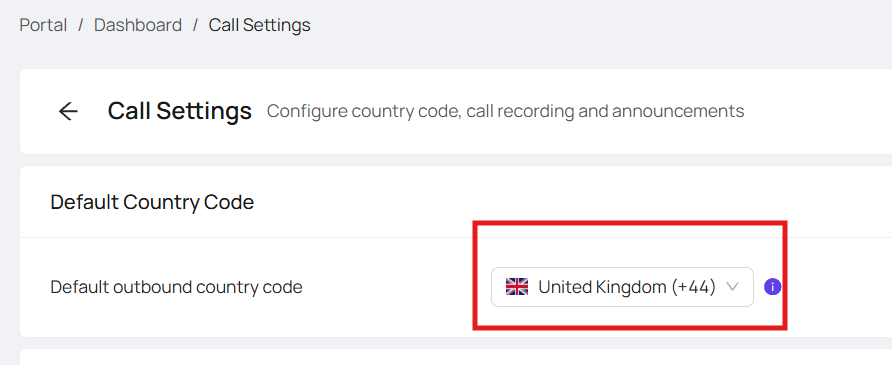
Please note this impacts the whole organisation, and would mean the default area code for outbound calls will be the area code you have chosen
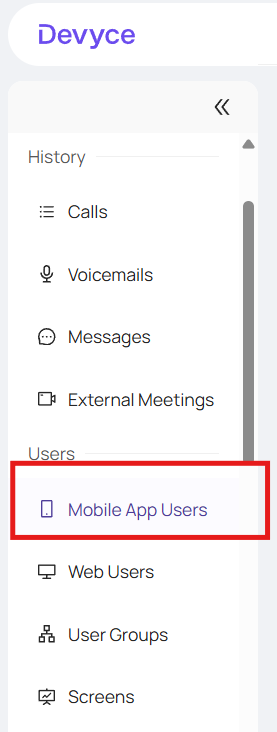
Alternatively you can edit individuals default area code via the mobile app users tab
Scroll to your user of choice, or use the search function to find them and hit the + button to expand their settings options
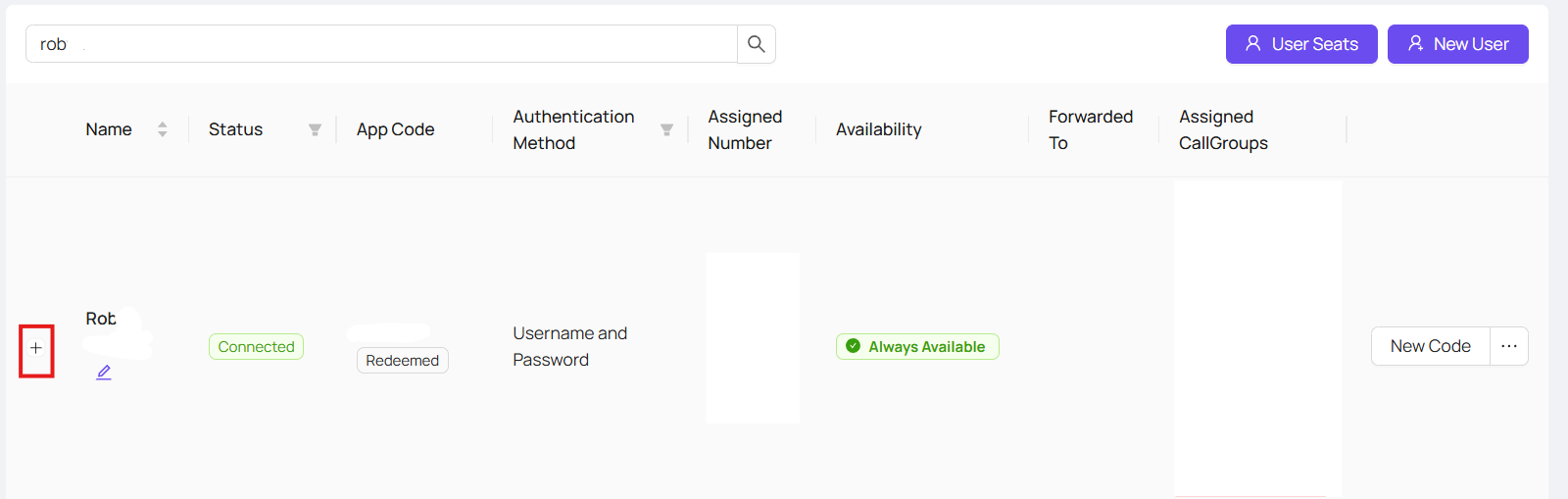
The Default outbound country code option will default to 'Same as Organisation' but you can click on the drop down to pick a custom one

Once you have done this, you should receive a confirmation notice in the top right hand corner of the screen confirming these changes have been made.
If your users are setup with the correct default area codes, but need to make the occasional international outbound call, please ensure they use the + format when dialling out or your default area code will automatically be added at the beginning of the number.
If you experience any further issues with this, please reach out to our support team.