
Getting started on Tracker
The Tracker CRM Admin needs to navigate to the Tracker CRM
Once on the main page > click on the user profile > Tools & Settings
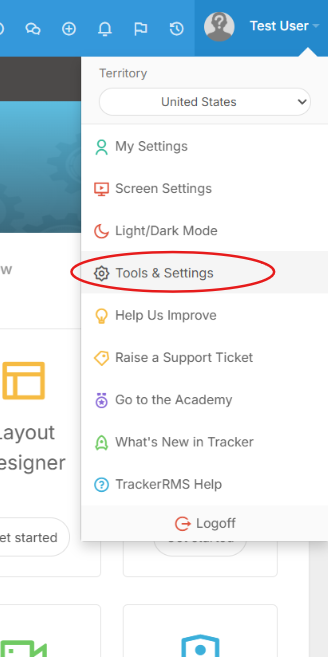
This will open a new page, with additional option via a dropdown menu on the right hand side of the webpage
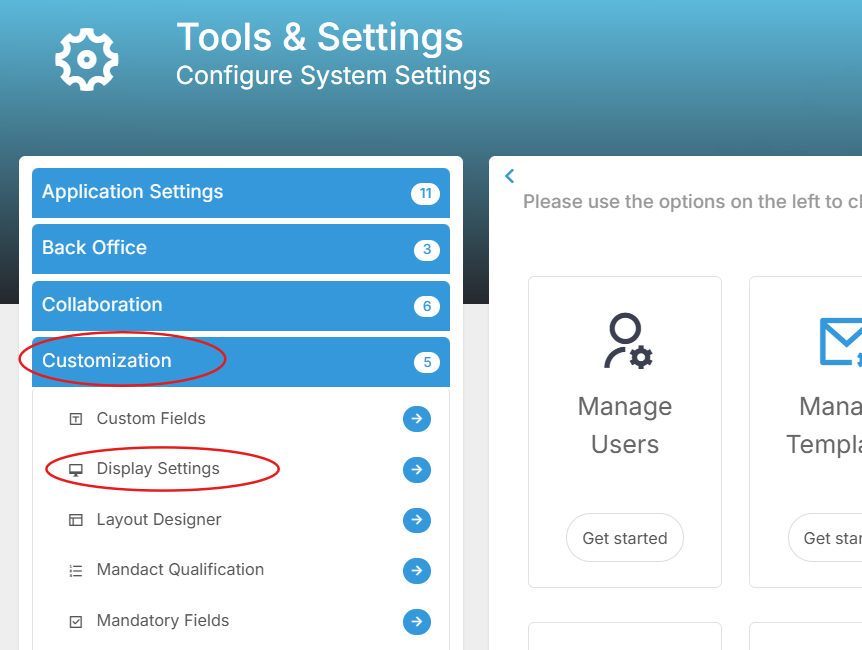
Here you can click on customization > Display Settings. This will then open another page and within the General Settings you should see your API key listed
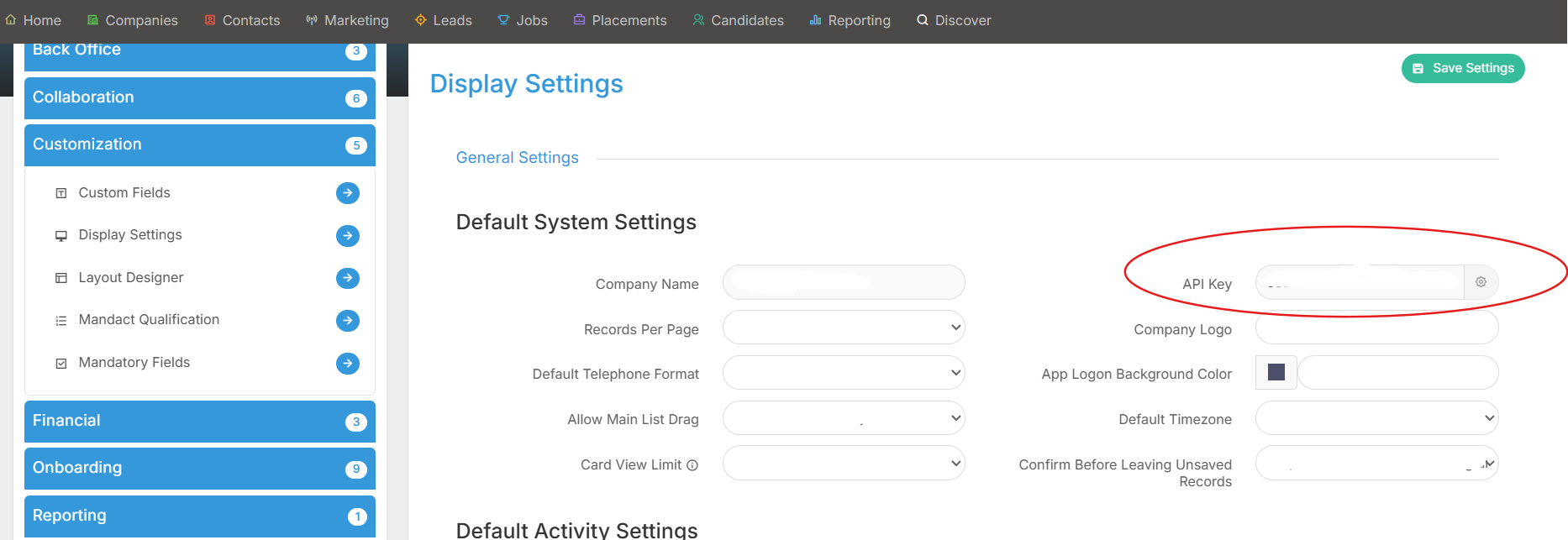
Please copy this API key and navigate to your Devyce portal https://portal.devyce.io/
In the portal, go to the integrations page on the lefthand side toolbar
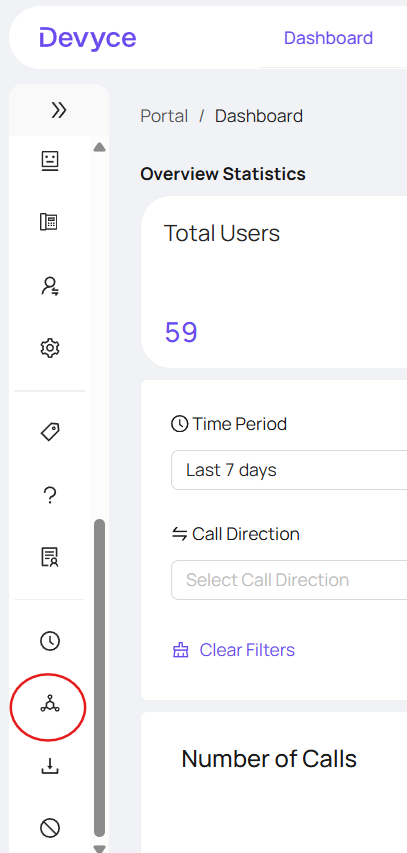
You will see all our integration options, and be able to scroll down to Tracker
Using the dropdown via the configuration button, this will open the option to paste your API key and then connect the integration
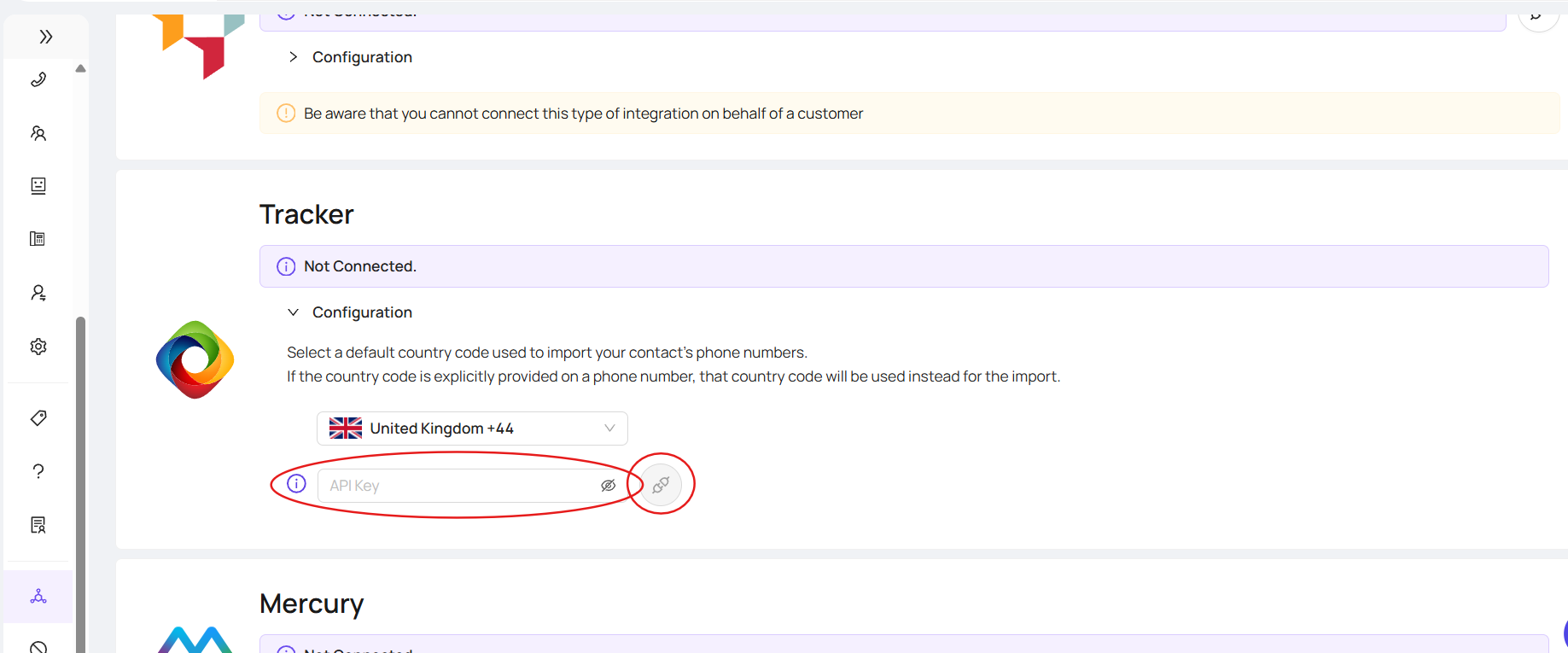
This will then show as 'syncing' this can take some time to complete, but once completed will show as 'Connected'