
Updating Edge and Windows
Windows Update
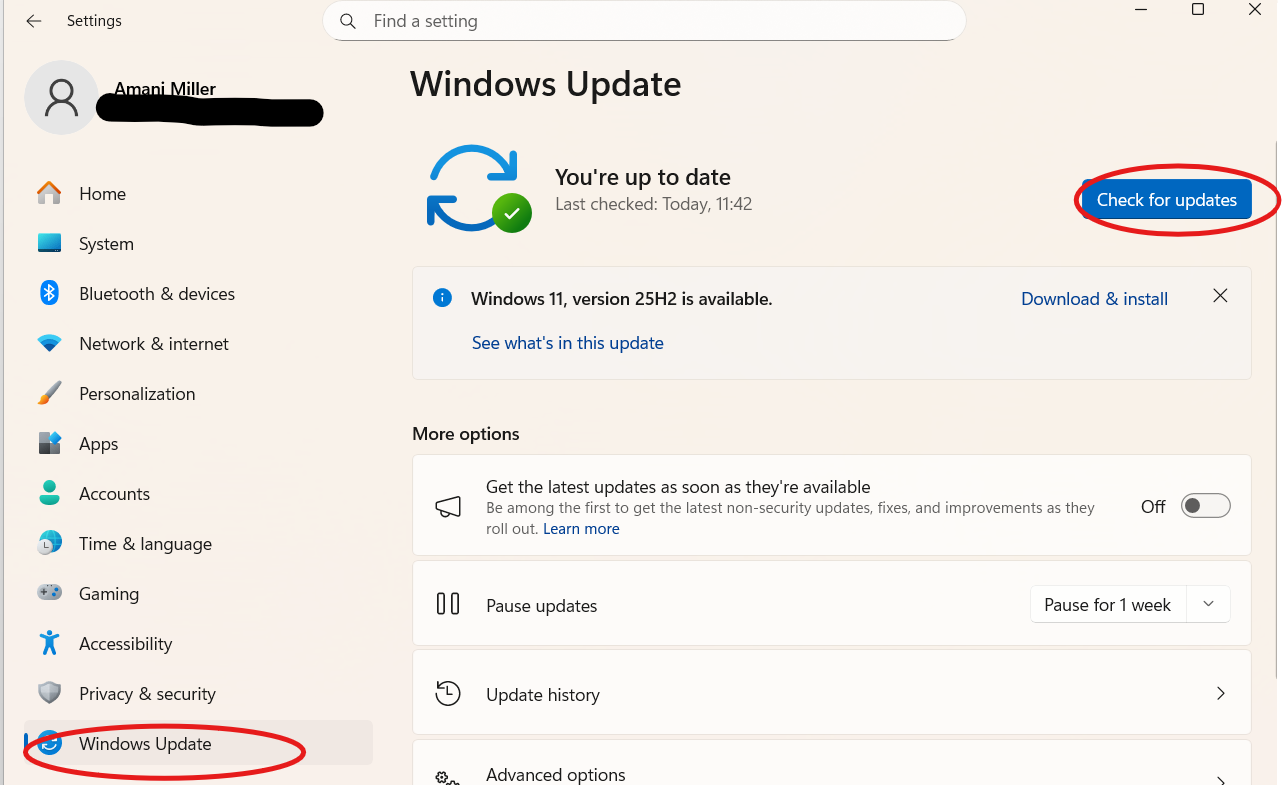
Please make sure that all Windows updates have been completed. It is important to click “Check for updates”, as updates will not always appear automatically.
Edge Update
Please click on Permissions for this site
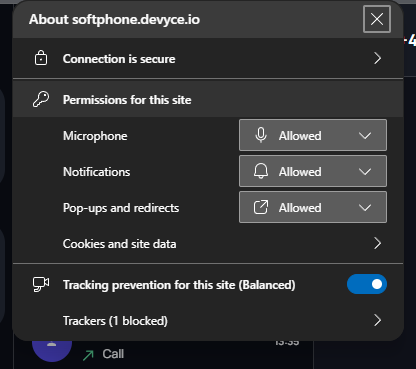
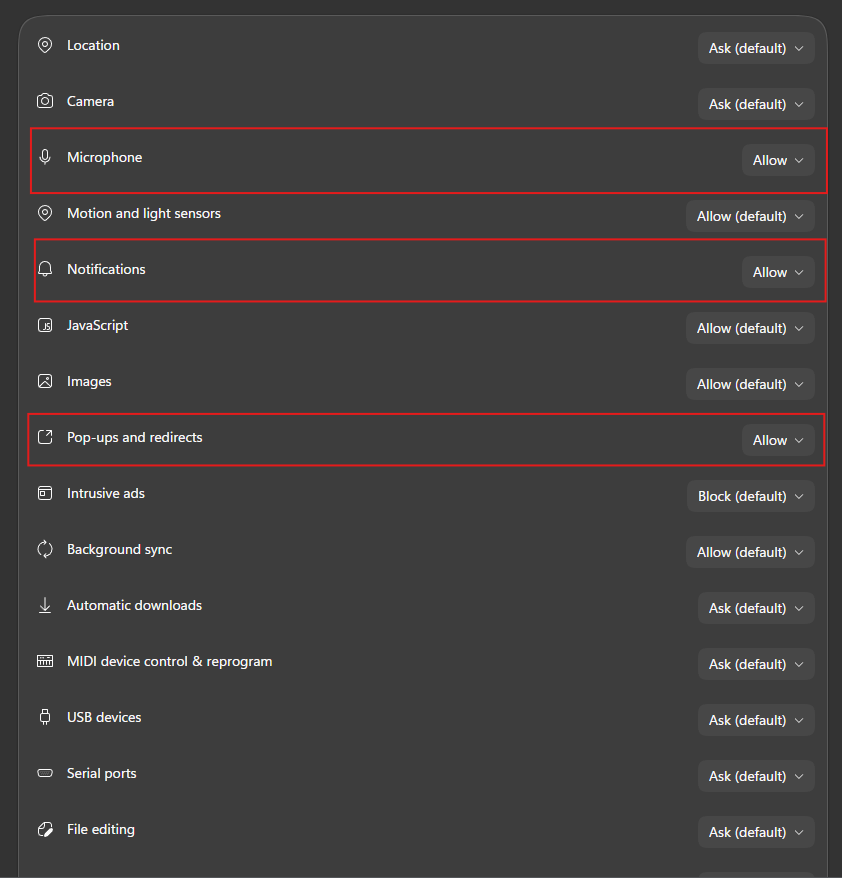
This will then open a new tab, where you can set the below to 'Allow' (not default)
Once you have done this, you should be able to close this tab, and go back to your softphone, where a reload option will be like below:
