
How to set a default for the Devyce Notetaker joining your External Meetings
Once your calendar is connected navigate to
https://softphone.devyce.io/external-interactions/

Open your Calendar options, and click "Record by Default" button, this should then show as greyed out when record default is set to OFF, opposed to blue when the recording default is set to ON
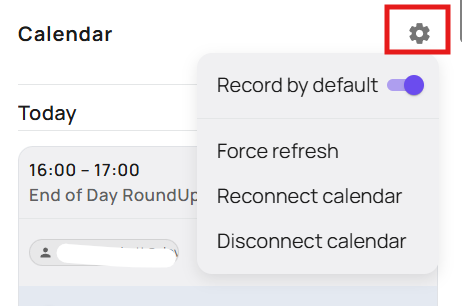
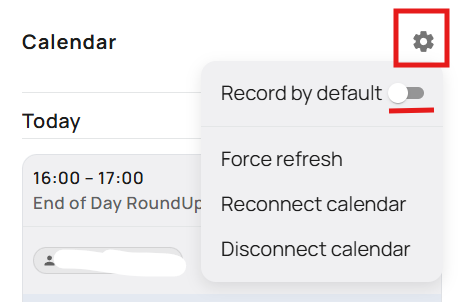
Please note, that if you manually set a meeting to record or not from the meeting options, this will remain the case even if you update the Record by Default, to avoid undoing any settings you have manually setup in the system
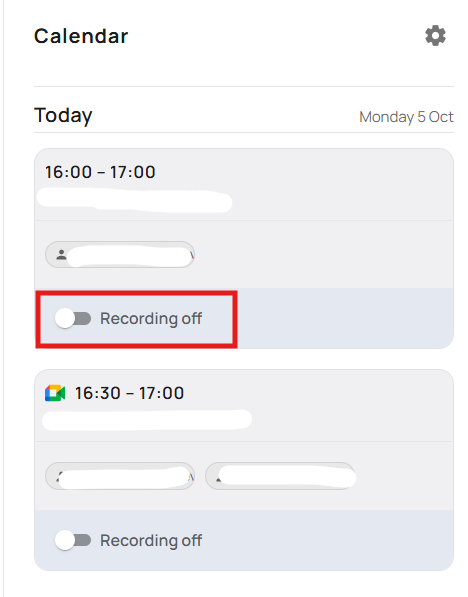
Once you have set a meeting to record by default it should depending on your settings either automatically join your meeting, or show up as a participant you will need to allow into the meeting
If during the meeting you wish to remove the notetaker, you can remove them from the meeting and see further details on how to do that here:
https://devyce.support.site/article/devyce-notetaker-during-a-meeting