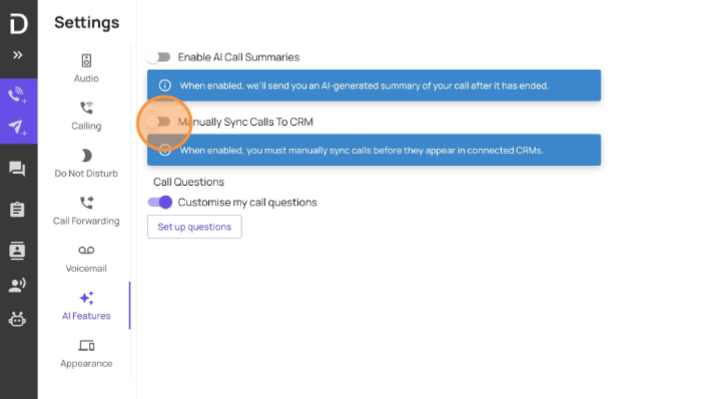
How to turn off Manual Sync to CRM - User Level
If you would like your AI summaries to automatically sync with your CRM navigate to https://softphone.devyce.io/ and open your settings menu

Open the AI features menu, and ensure the "manually sync calls to CRM" option is greyed out and toggled off