How to expose the Devyce Keypad when on a call
In this article group
- How to setup your call forwarding
- How to setup your Chrome Extension - Softphone
- How to open the Softphone
- Setting a default Outbound & SMS number
- How to select call tags on the Softphone
- How to use Enhanced Calling
- How to Cold Transfer whilst on Enhanced Calling
- How to make an outbound call and assign a call tag
- How to initiate a new call in the Devyce Softphone
- How to Cold Transfer
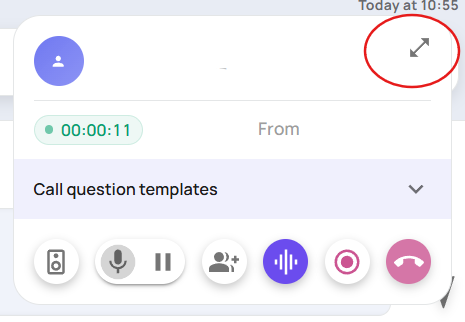
During an active call, you can open the call modal to reveal the keypad by pressing the arrow button in the top right hand corner
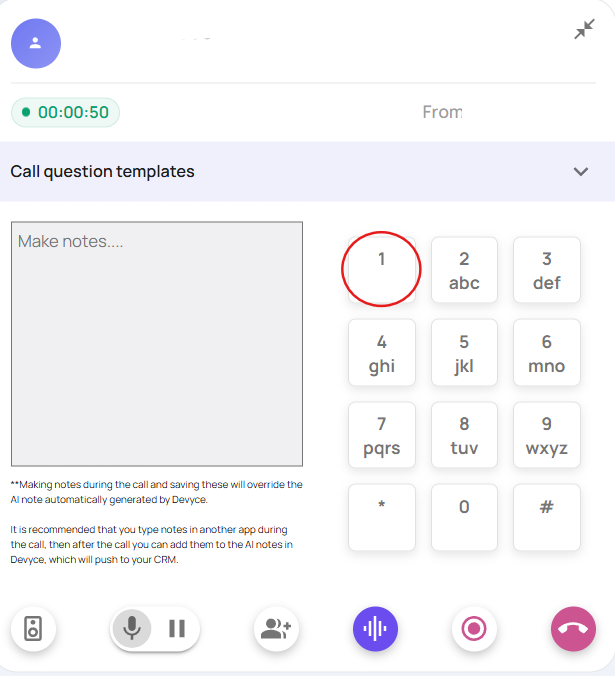
You can then utilise the keypad as normal, by clicking on the relevant numbers you require