
How to Regenerate your AI Summaries
In this article group
- How to setup Working Hours
- How to Flag a Call Issue/Report an Issue
- Setting customer ring time for Direct Dials
- How to set up user specific call questions
- How to view Call Transcriptions with the Devyce Portal
- How to Download Call Recordings
- How to create a Custom Voicemail
- How to edit your AI summaries within Devyce
- How to override the call modal, allowing you to select outbound call ID's on every call
- How to remove the Devyce PWA (Desktop app)
- How to pin the Devyce Softphone
- How to add and remove the Devyce Chrome Extension
- How to install the PWA, Devyce Desktop App
Navigate to https://softphone.devyce.io/conversations and find the call that is missing a call summary

To regenerate the AI summary click on the regenerate button
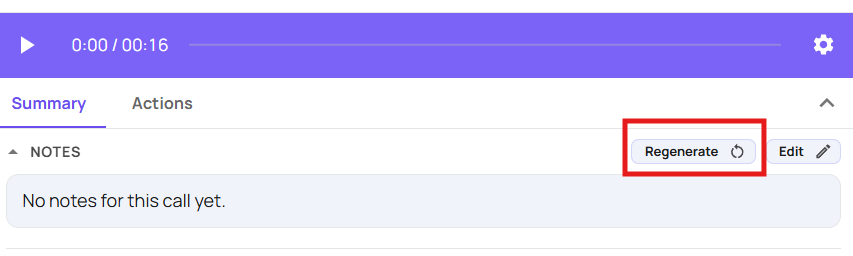
This will then regenerate your call summary for you.
If you have further issues with this please email support@devyce.co.uk with the details of the call you are experiencing issues with