
Setting customer ring time for Direct Dials
In this article group
- How to setup Working Hours
- How to Flag a Call Issue/Report an Issue
- How to set up user specific call questions
- How to view Call Transcriptions with the Devyce Portal
- How to Download Call Recordings
- How to create a Custom Voicemail
- How to edit your AI summaries within Devyce
- How to override the call modal, allowing you to select outbound call ID's on every call
- How to remove the Devyce PWA (Desktop app)
- How to pin the Devyce Softphone
- How to Regenerate your AI Summaries
- How to add and remove the Devyce Chrome Extension
- How to install the PWA, Devyce Desktop App
The below guide shows individual users how to set the time an incoming call will ring for before redirecting to a call forward or going to voicemail based on the individuals settings.
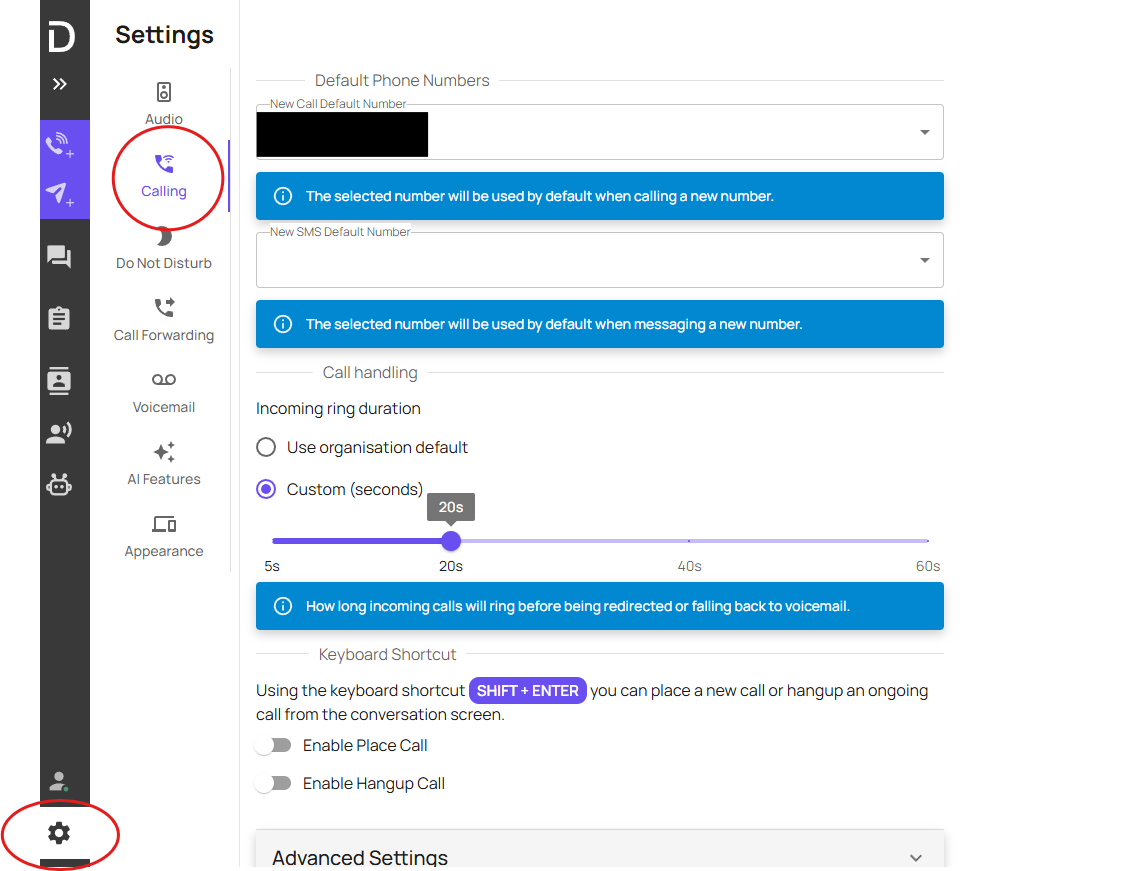
Head to the Softphone>Setting>Calling.
Select 'Custom' and adjust the scale to the preferred ring time.
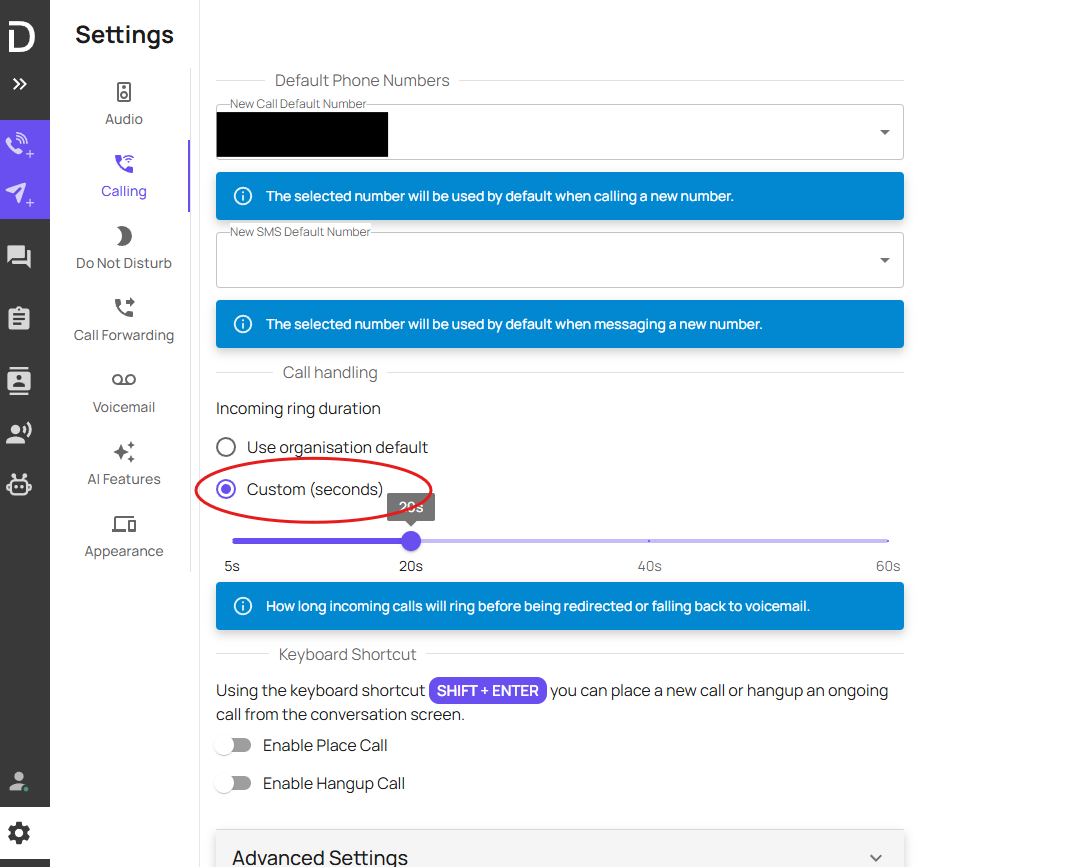
The custom ring time is now set